TweakTick
Free tools
PricingFoundingSign in

Every tweak. Every tick.

Client feedback, approval rounds and a sign-off record, in one link.

Clients pin comments on your live site, images, PDFs and video, then approve each round with a code from their email.

Get the Founding dealJoin the waitlist

See pricing · one flat price, no add-ons.

A freelance designer working at a laptop in her studio

Try it: click the page to pin feedback

Example review round on an illustrated bakery website: the client pins a comment on the headline, a fixed comment turns green, the version moves from V1 to V2, and Round 2 is approved.
client-site.example
V1V2
2MayaCan the logo be a bit bigger?1

Round 2 · ApprovedConfirmed with an emailed code · added to the sign-off record

Comments2 pins

  • 1

    Maya · V1Fixed

    Make this button our sage green so it matches the shop sign.

  • 2

    Maya · V1Fixed

    Can the logo be a bit bigger? It feels lost next to the menu.

The client approves with a 6-digit code sent to their email. No account.

45 seconds

Watch one round, start to tick.

Crumb & Co. homepage

  1. 1Draft sent
  2. 2Pinned
  3. 3Round 2
  4. Approved
  5. Signed off
  1. 1Draft sent
  2. 2Pinned
  3. 3Round 2
  4. Approved
  5. Signed off

One project, one week

The life of one round, start to tick.

Here is how it goes for the Crumb & Co. homepage, a made-up bakery site, from the first link to the last tick.

1Monday, 9:40Monday, 0123456789:01234567890123456789

You send the draft.

You add the homepage and send your client one link. It opens in their browser: no account to make, nothing to install, no password to forget.

It works the same for a live website, images, PDFs or a video. On a live site, a small script puts the comments on the real page; if a page can’t run it, the review switches to screenshots at desktop, tablet and phone widths.

No 11 pm “looks good?” email with six screenshots attached. Just the link.
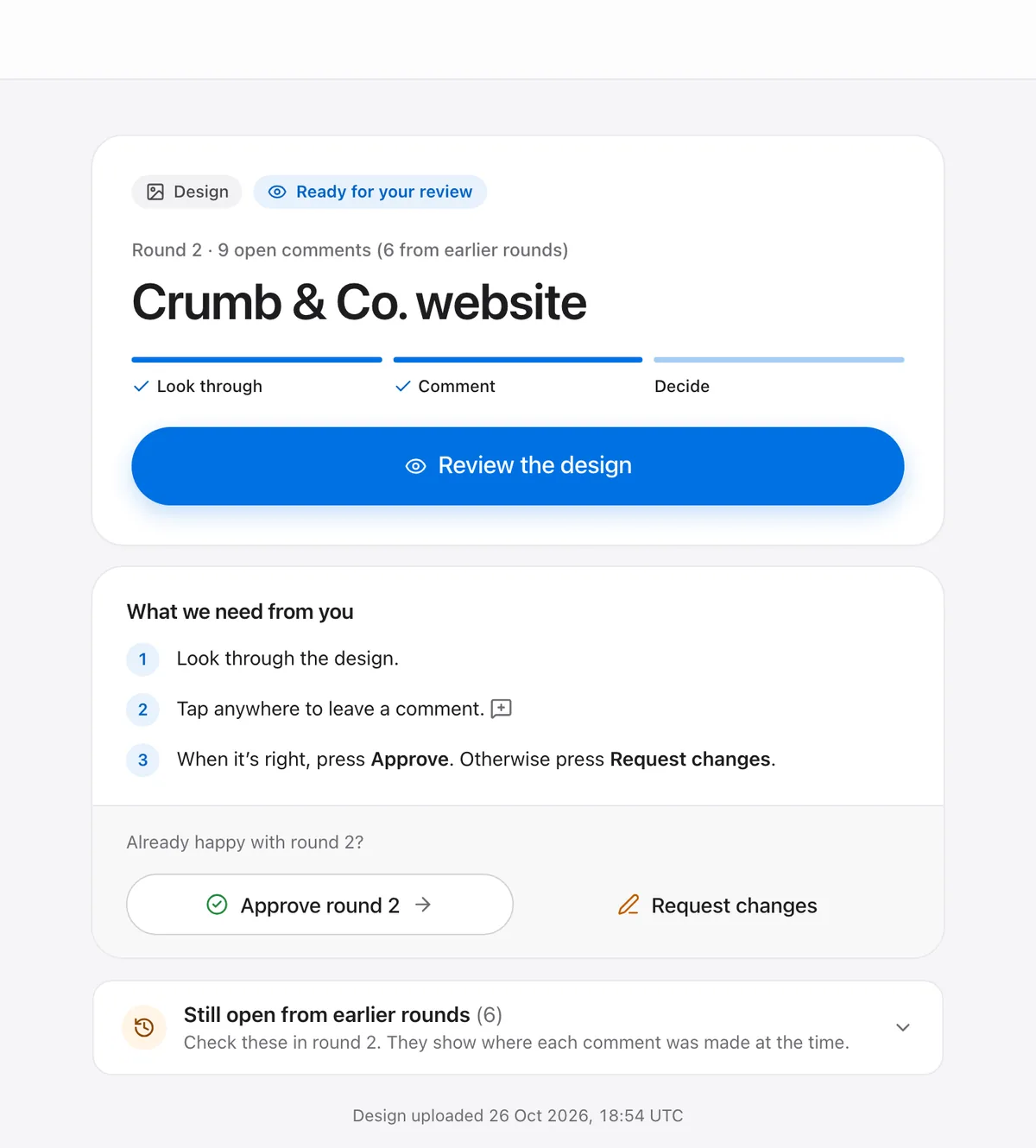
The page a client sees when they open the link: the project, a Review the design button, and what is needed from them
Maya

2Tuesday, 14:15Tuesday, 01234567890123456789:01234567890123456789

The client points at things.

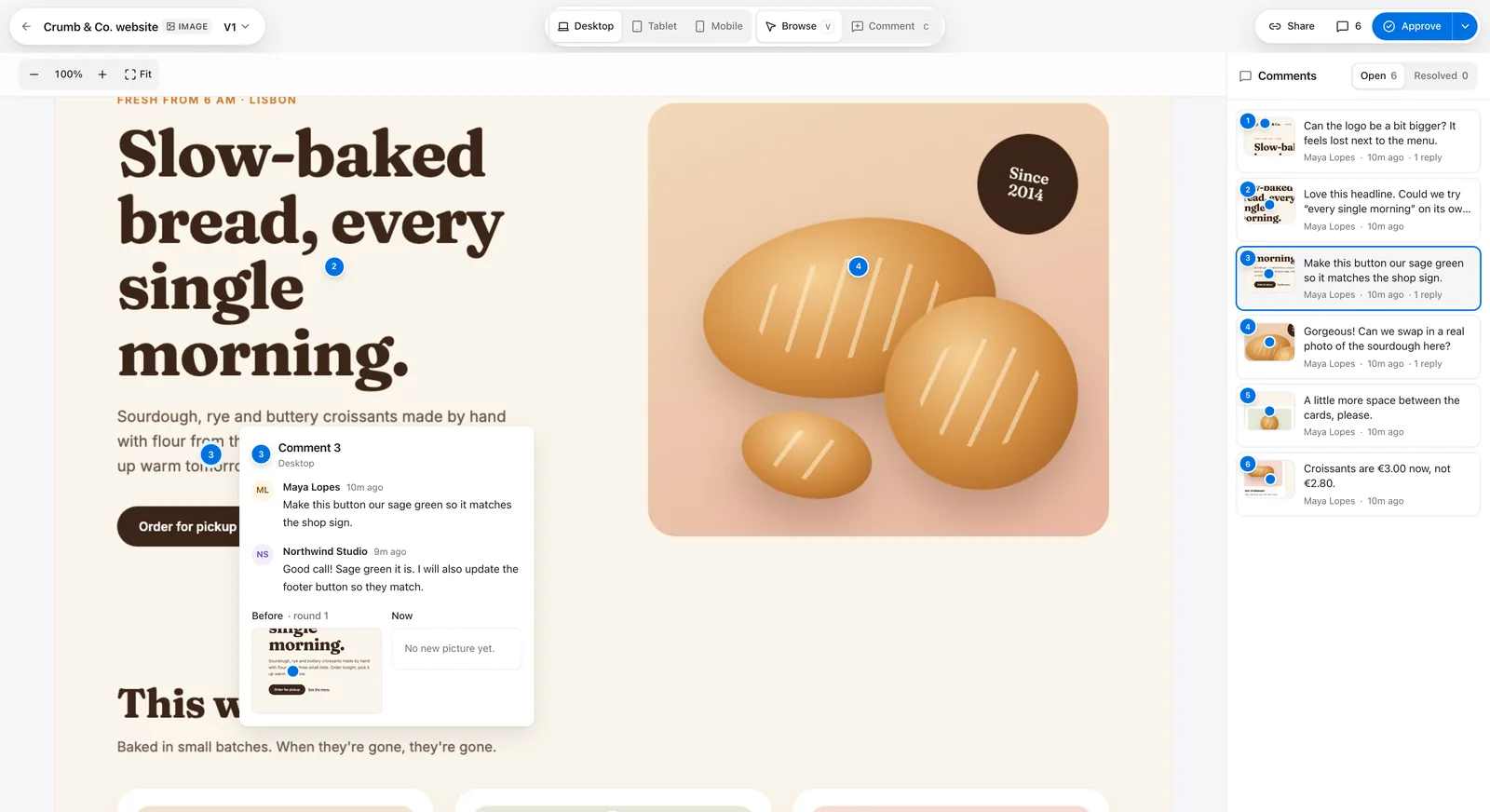
They click the exact spot and type what they think. Each comment becomes a numbered pin on the page, and you can reply right there.

Your team can leave internal notes on the same pins. Those are removed before the client’s page is sent, not just hidden. If the client goes quiet, a reminder nudges them, so you don’t have to.

Nobody has to describe “the bit under the photo, a bit to the left” ever again.

A bakery owner in her apron at the counter, checking feedback on a tablet
The Crumb & Co. homepage in review, with numbered pins on the page and a comment thread with a reply
234MayaMaya LopesGorgeous! Can we swap in a real photo of the sourdough here?

3Wednesday, 11:00Wednesday, 01234567890123456789:01234567890123456789

Round two.

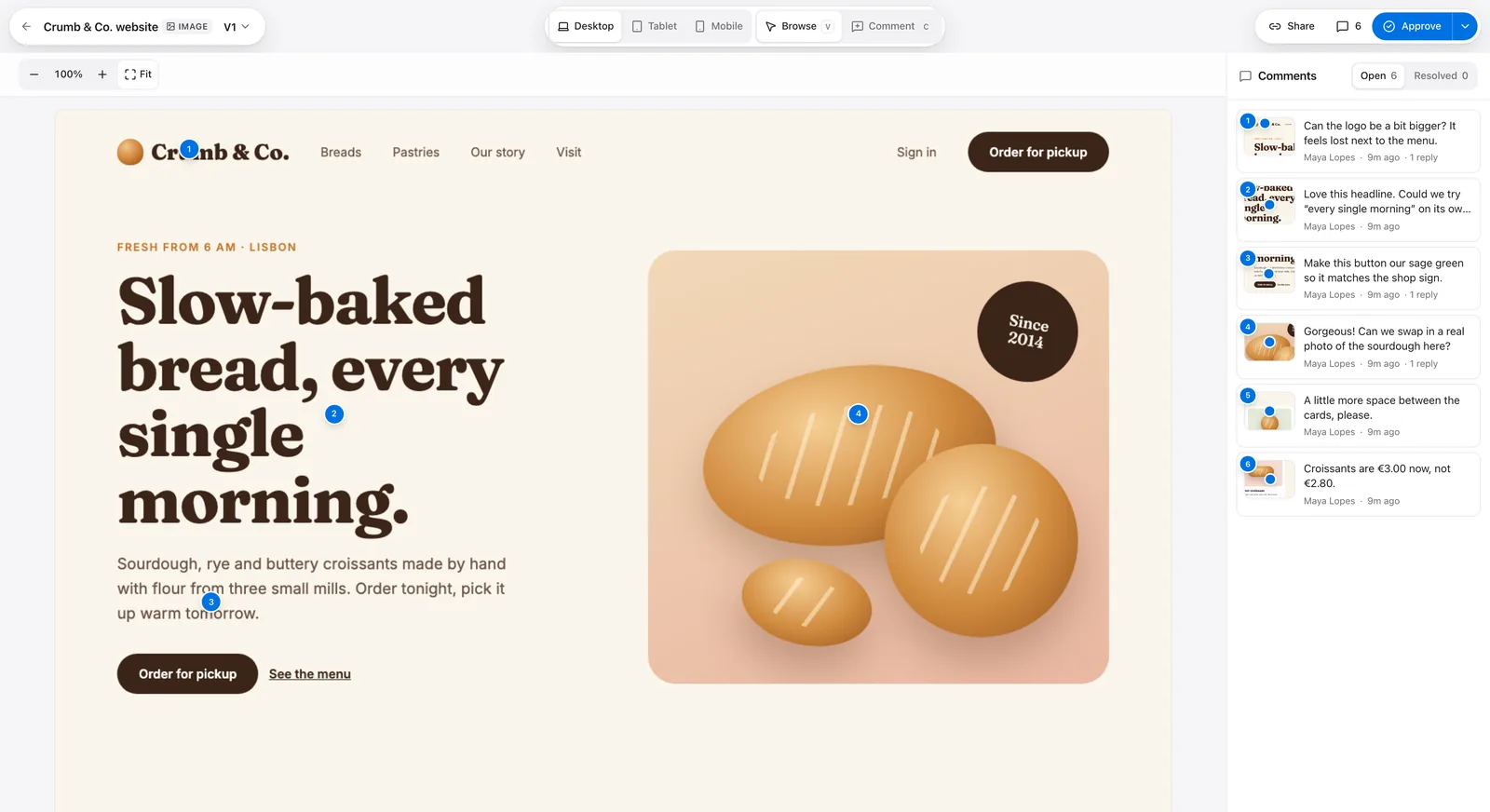
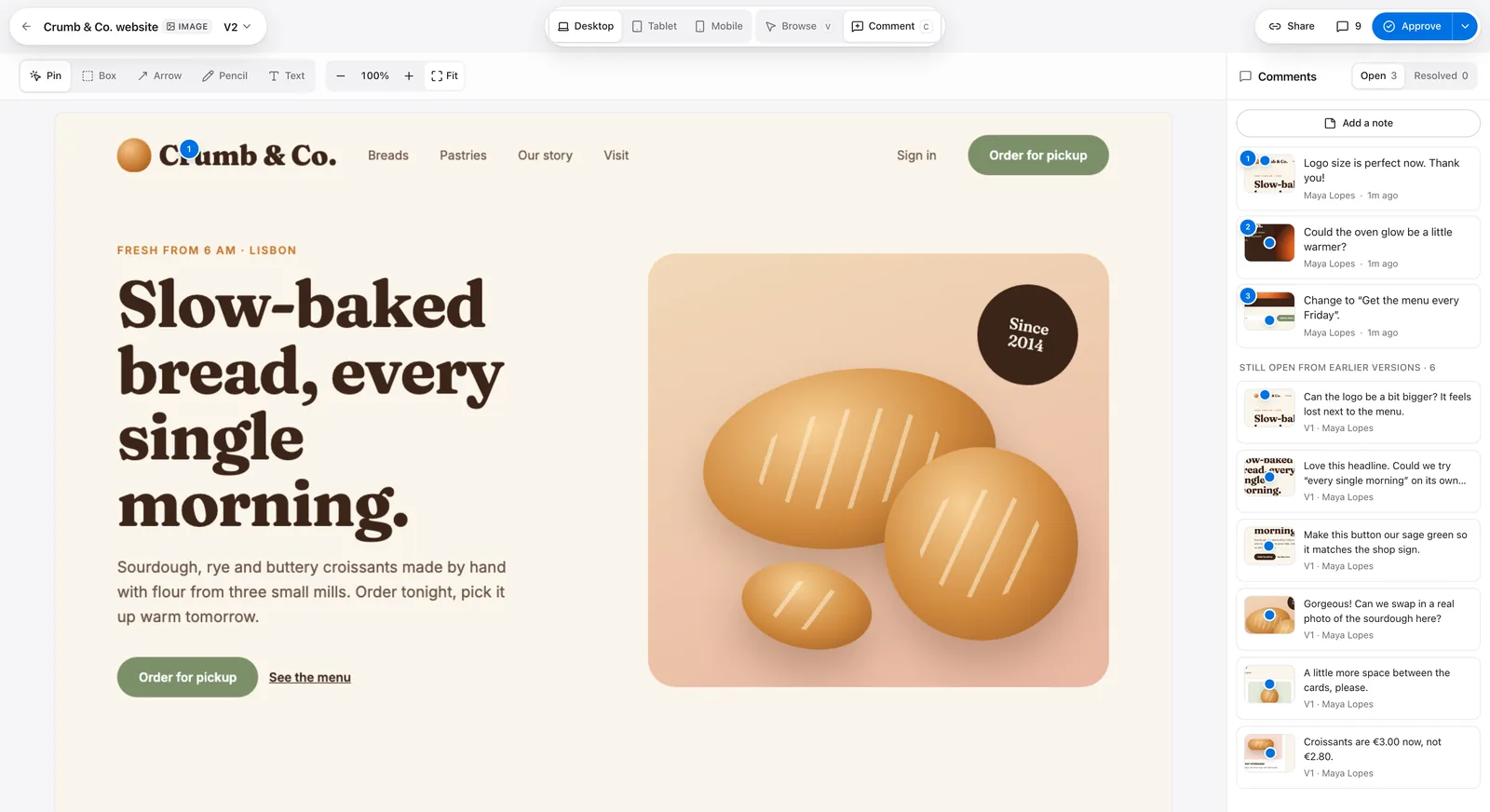
You fix things and upload V2. Round one stays frozen exactly as your client saw it, pins and all, so there is never a question about which version anyone was looking at.

Every round is numbered. When your contract says the third round is extra, you can both see it is round three.

“That’s round three” becomes a fact on the screen, not an argument on a call.

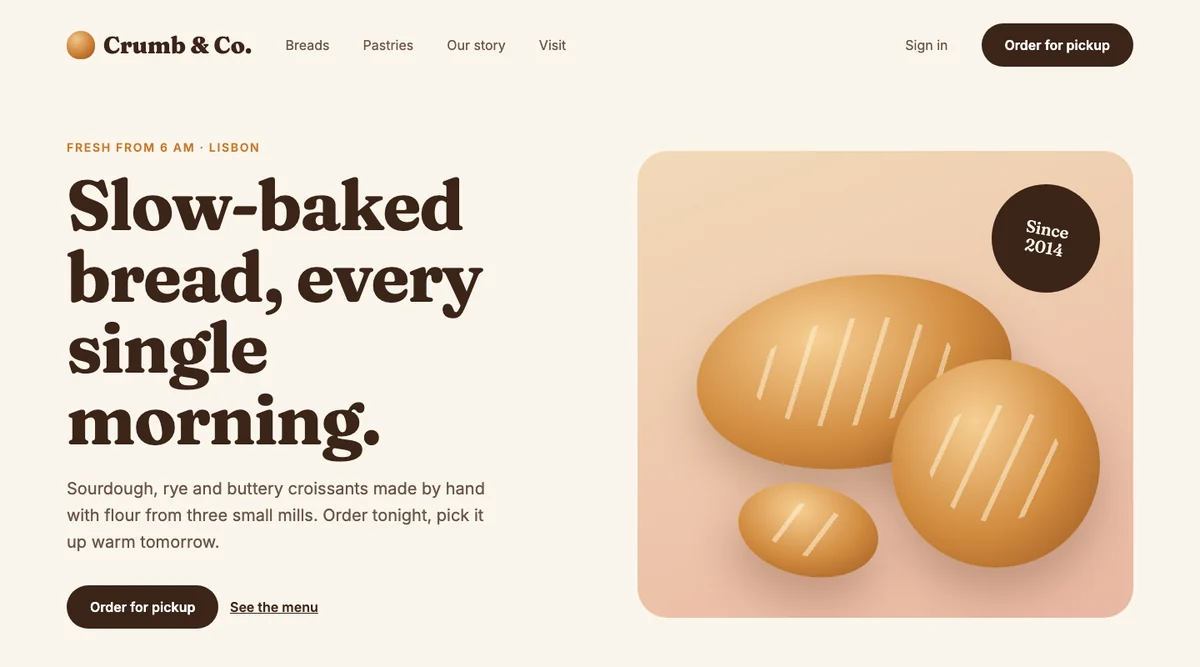
The Crumb & Co. homepage, version 1, with four numbered client pins
1234V1V2

Thursday, 16:30Thursday, 01234567890123456789:01234567890123456789

They say yes, properly.

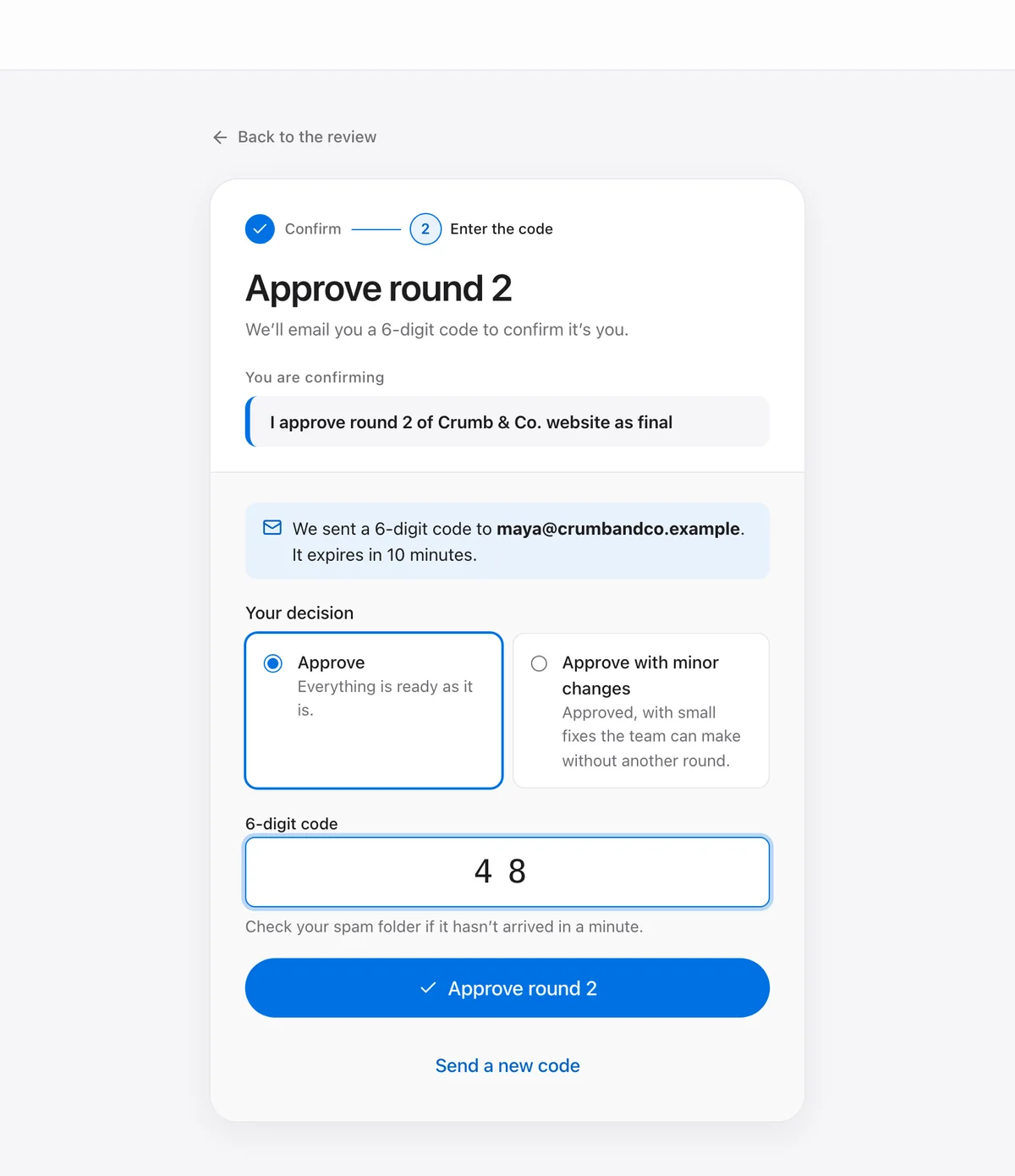
One Approve button. To confirm, your client types a 6-digit code sent to their email, so a forwarded link can’t approve on their behalf. They can ask for changes instead, from a laptop, a tablet or their phone.

Once a round is approved, its comments close. Done means done.

A “yes” you can find again, instead of a thumbs-up buried in a chat.

The same bakery owner smiling at the counter, tablet in hand, after approving
Approving round 2 of the Crumb & Co. website: a 6-digit code was sent to the client’s email, with the code field and an Approve round 2 button
481093Approved

Six months laterSix months later

Someone asks who approved it.

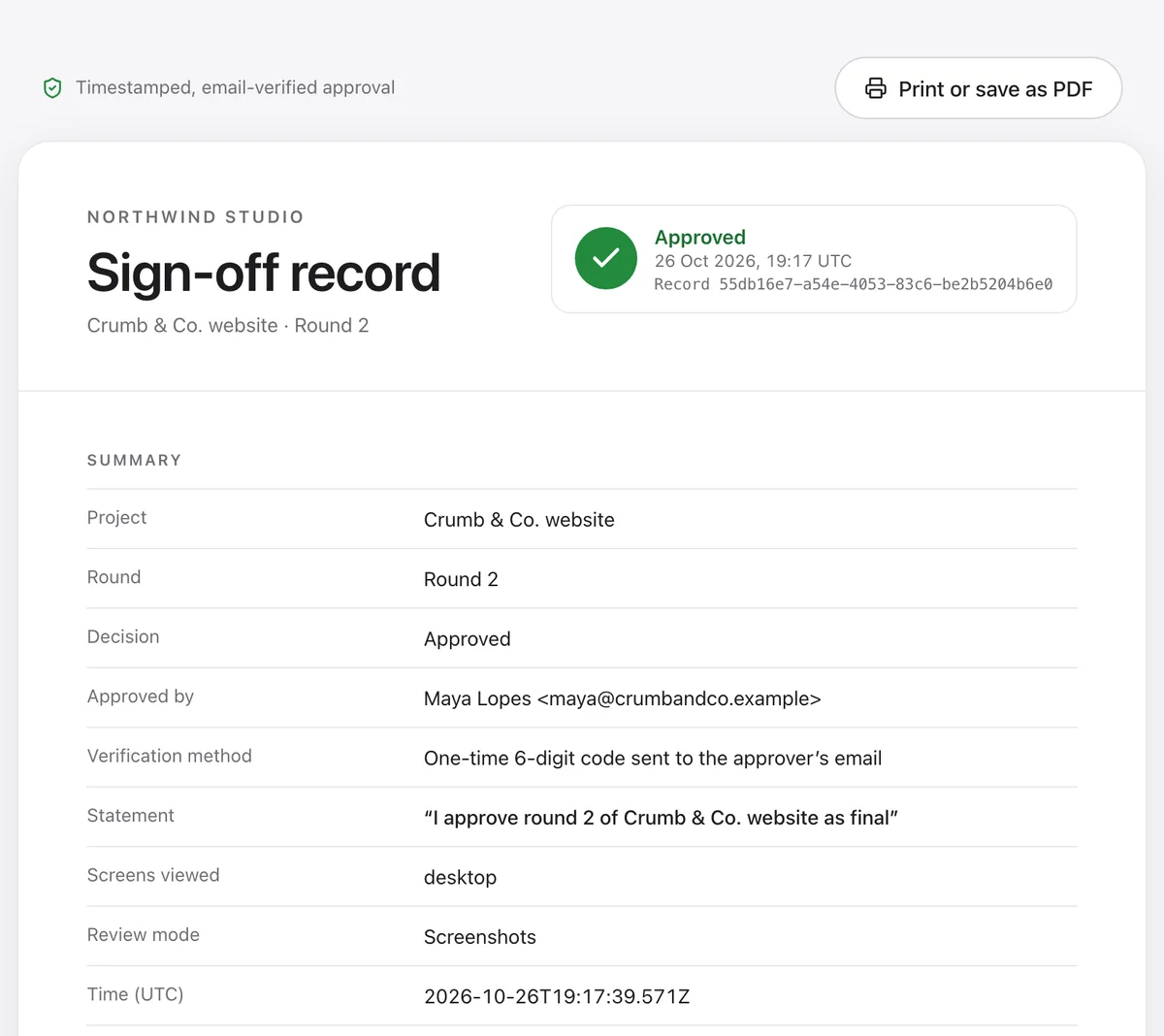
You open the certificate for that round. It shows who approved it, how they confirmed, the exact wording they agreed to and when.

Every approval sits in a hash-chained record: each entry carries the fingerprint of the one before it, so a later edit would show. The database itself refuses to edit or delete those entries.

You send one link and get back to work.

  1. Round 1

    before: startthis: 7c1e…a904

  2. Round 2

    before: 7c1e…a904this: b35d…19fe

  3. Round 3

    before: b35d…19fethis: 0e8a…c27b

Example values. Each entry stores the fingerprint of the one before it.

The sign-off record for round 2 of the Crumb & Co. website: approved, who approved it, the verification method, the exact statement and the time

What your clients can review

Every format, one way to give feedback.

Your client pins comments on the real thing (a live site, an image, a PDF or a video) and approves it the same way every time.

  • crumbandco.example
    1
    desktoptabletphone

    Live websites

    Click anywhere on the real page.

    Screenshots if a site blocks the script.

  • 1

    Images

    Pin or box any spot.

  • PDF1
    2 / 8

    PDFs

    Comment on any page, approve the file.

  • 0:120:310:481

    Video

    Pin a comment to the exact second.

Same pins, same rounds, same sign-off, whatever the file.

Everything in the box

All of it, in the order a round happens.

From the first link to the proof.

The page a client opens from your link: the Crumb & Co. website, round 2, and a Review the design button12

1Send3 features

  • One linkOpens in any browser
  • No client accountsGuests never sign up
  • Password linksOr invite-only reviews
The Crumb & Co. homepage in review, with numbered pins on the page and a comment thread with a reply243

2Pin5 features

  • Pins and boxesOn the exact spot
  • ArrowsPoint straight at it
  • Voice notesOr just say it
  • Replies on pinsTalk where the problem is
  • Internal notesRemoved before clients see
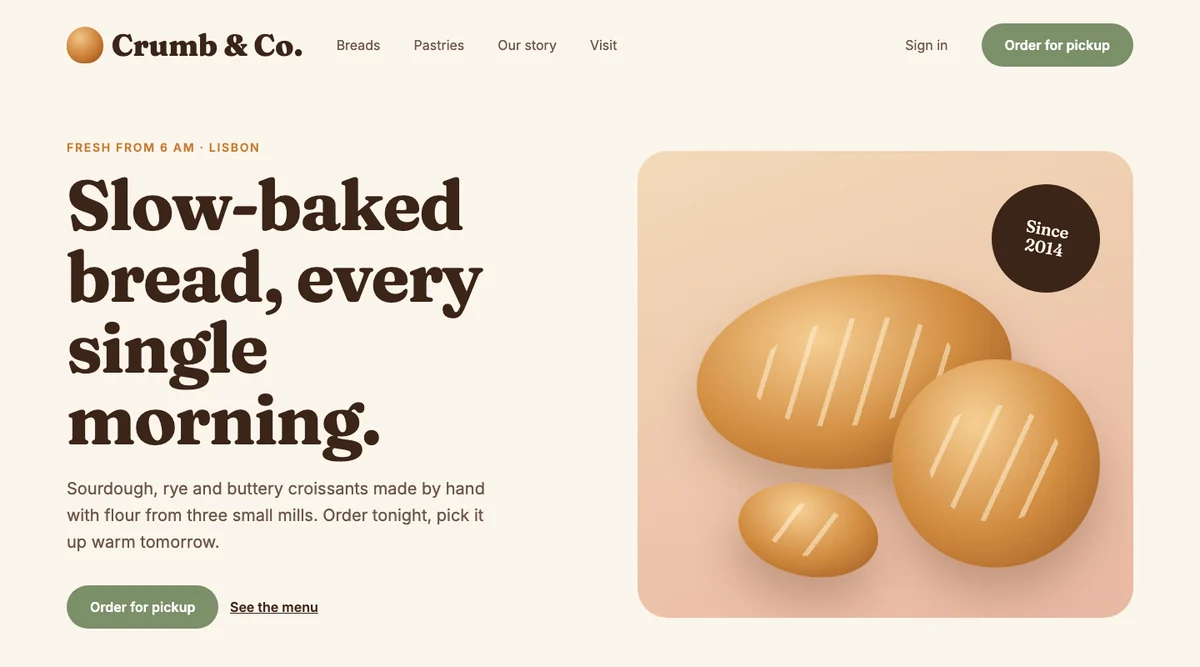
Version 2 of the Crumb & Co. homepage: bigger logo and a sage green button, with the new comments listedV2
Version 1 of the same page, frozen as the client saw it
V1, frozen

3Round2 features

  • Frozen roundsV1, V2, V3, as seen
  • RemindersA nudge when clients go quiet
Approving round 2 of the Crumb & Co. website: a 6-digit code sent to the client’s email, the code field and an Approve round 2 button1

Approve3 features

  • Emailed codeSix digits prove it’s them
  • Request changesJust as easy to find
  • Works on phonesApprove always in reach
The sign-off record for round 2 of the Crumb & Co. website: approved, who approved it, the verification method and the time

Prove3 features

  • Hash-chained recordA later edit would show
  • Certificate pageWho, how, wording, when
  • Export or deleteYour workspace, from Settings
3Comment 3

Make this button sage green so it matches the shop sign.

  • Embed the client page

Connect1 feature

  • Embed the client pageInside your own portal
See what it talks to →

Connections

It talks to the tools you already use.

  • Embed the client pageInside your own portal

Your data

Calm about your data.

The short version is below. The long version is in the security page and the privacy policy.

  • No trackingNo analytics, no ad cookies, no banner
  • Uneditable sign-offsThe database itself blocks edits and deletes
  • Secrets encryptedNever shown again or written to logs
  • Isolated capture containerScreenshots walled off from app and database
  • Backups, and yours to takeEncrypted nightly; export or delete any time

Free tools

Free tools we wish we’d had.

Browser-only. Nothing uploaded, nothing to sign up for.

  • ExampleUnbilled rounds cost you$4,800 / yearScope creep calculatorPut a yearly number on extra rounds you never billed.
  • ExampleChange request #3Extra work+$450Change request formA change after sign-off becomes a new, priced request.
  • Example4. RevisionsRounds 1 and 2 are included.Round 3 is billable at the agreed rate.Revision clause generatorSay how many rounds are included, and what happens after.
  • Example40%doneProject cancelledFee for work doneKill fee calculatorA fair fee when a project is cancelled part-way.
  • ExampleYou need to charge$62 / hour$496 / dayFreelance rate calculatorThe hourly and day rate your goals actually need.
  • ExampleSign-off · home-v3.pngSHA-2569f2c 41ab … 07e4Client signatureSign-off form generatorA sign-off that proves which version was approved.
  • Scope & money· 5
  • Briefs & sign-off· 7
  • Visual review· 4
  • All 16 free tools→

Compare

Shopping around? Good.

Every fact has a source and a date, including where the others are ahead.

  • TweakTick vs BugSmash

    TweakTick and BugSmash on approvals, sign-off records and free plans
    TopicTweakTickBugSmash
    Approve stepYesYes
    Sign-off recordYesNot found
    Free planNot decidedYes

    Where BugSmash is ahead: Ships new features about every two weeks.

    See the comparison with BugSmash→
  • TweakTick vs MarkUp.io

    TweakTick and MarkUp.io on approvals, sign-off records and free plans
    TopicTweakTickMarkUp.io
    Approve stepYesPartly
    Sign-off recordYesPartly
    Free planNot decidedNo

    Where MarkUp.io is ahead: More file types: web, images, PDF, video and “30+ types”.

    See the comparison with MarkUp.io→
  • TweakTick vs Pastel

    TweakTick and Pastel on approvals, sign-off records and free plans
    TopicTweakTickPastel
    Approve stepYesYes
    Sign-off recordYesPartly
    Free planNot decidedYes

    Where Pastel is ahead: A free plan with Approve and Request changes.

    See the comparison with Pastel→
  • TweakTick vs ruttl

    TweakTick and ruttl on approvals, sign-off records and free plans
    TopicTweakTickruttl
    Approve stepYesNot found
    Sign-off recordYesNot found
    Free planNot decidedYes

    Where ruttl is ahead: A free plan you can use today.

    See the comparison with ruttl→
  • TweakTick vs BugHerd

    TweakTick and BugHerd on approvals, sign-off records and free plans
    TopicTweakTickBugHerd
    Approve stepYesNot found
    Sign-off recordYesPartly
    Free planNot decidedNo

    Where BugHerd is ahead: Built for bug tracking: a kanban board, element details and two-way sync with project tools.

    See the comparison with BugHerd→
  • How to read these

    Each row is read from the full comparison page, where every fact has its source (checked 20 Oct 2026).

    • Yesit does this
    • Partlysome of it; the page says what
    • Not foundnot on their public pages when we checked
    • Not decidedwe have not decided yet

    TweakTick is not launched yet; ours are built and tested, not a track record.

Founding 100

Pay once. Keep it for life.

A lifetime licence for the first 100 customers. Your clients never pay or sign up.

See the Founding deal →
100Founding seats
Lifetime licence

Questions

Straight answers.

What freelancers and agencies ask before they send their first round.

A person, not a bot

Still deciding?

Ask us anything — a person replies.

Ask a question[email protected]

Quick answers

  • Client accounts: Do my clients need an account?
  • Installing anything: Do clients have to install anything?
  • What clients review: What can clients review?
Do my clients need an account?

No. Your client opens the link you send, comments and approves. They never create an account or a password.

Do clients have to install anything?

No. On websites, you add a small script once and comments land on the real page. If a site can’t run it, the review uses screenshots at desktop, tablet and phone widths instead.

What can clients review?

Live websites, images, PDFs and video.

How does approval work?

Each version is a round (V1, V2 …) that freezes what was reviewed. The client presses Approve and confirms with a 6-digit code sent to their email, or asks for changes. Once a round is approved, its comments close.

What is the sign-off record?

Every approval is added to a hash-chained record: each entry carries the fingerprint of the one before it, so a later edit would show. Each sign-off gets a certificate page you can share.

Can clients see my team’s internal comments?

No. Internal comments are removed before a client page is sent, not just hidden on screen.

What if my client’s site blocks the script?

The review falls back to screenshots. Some sites and browsers need extra steps, and we list them openly. See what is not supported yet.

Where is my data, and can I take it with me?

The app runs on our own server, and the services we use are listed on the subprocessors page. You can export your workspace or delete your account from Settings. See the subprocessors.

How does pricing work?

Monthly plans with one flat price and no add-ons, and your clients never pay. The first 100 customers can buy a Founding lifetime licence instead: pay once, refundable within 30 days. See pricing.

Send your next round with TweakTick.

One link for the comments, the yes, and the proof of the yes.

Get the Founding dealJoin the waitlist
TweakTick

Every tweak. Every tick.

Product

  • What’s new
  • Support
  • What’s not supported yet

Free tools

  • All free tools
  • Scope creep calculator
  • Change request form
  • Revision clause generator
  • Kill fee calculator
  • Freelance rate calculator
  • Sign-off form generator

Compare

  • TweakTick vs BugSmash
  • TweakTick vs MarkUp.io
  • TweakTick vs Pastel
  • TweakTick vs ruttl
  • TweakTick vs BugHerd

Legal

  • Terms of Service
  • Privacy Policy
  • Data Processing Agreement
  • Sub-processors
  • Refund Policy
  • Security

© 2026 TERRANOAH ECOM VENTURES (OPC) PRIVATE LIMITED

Photo credits